


particles-background-design

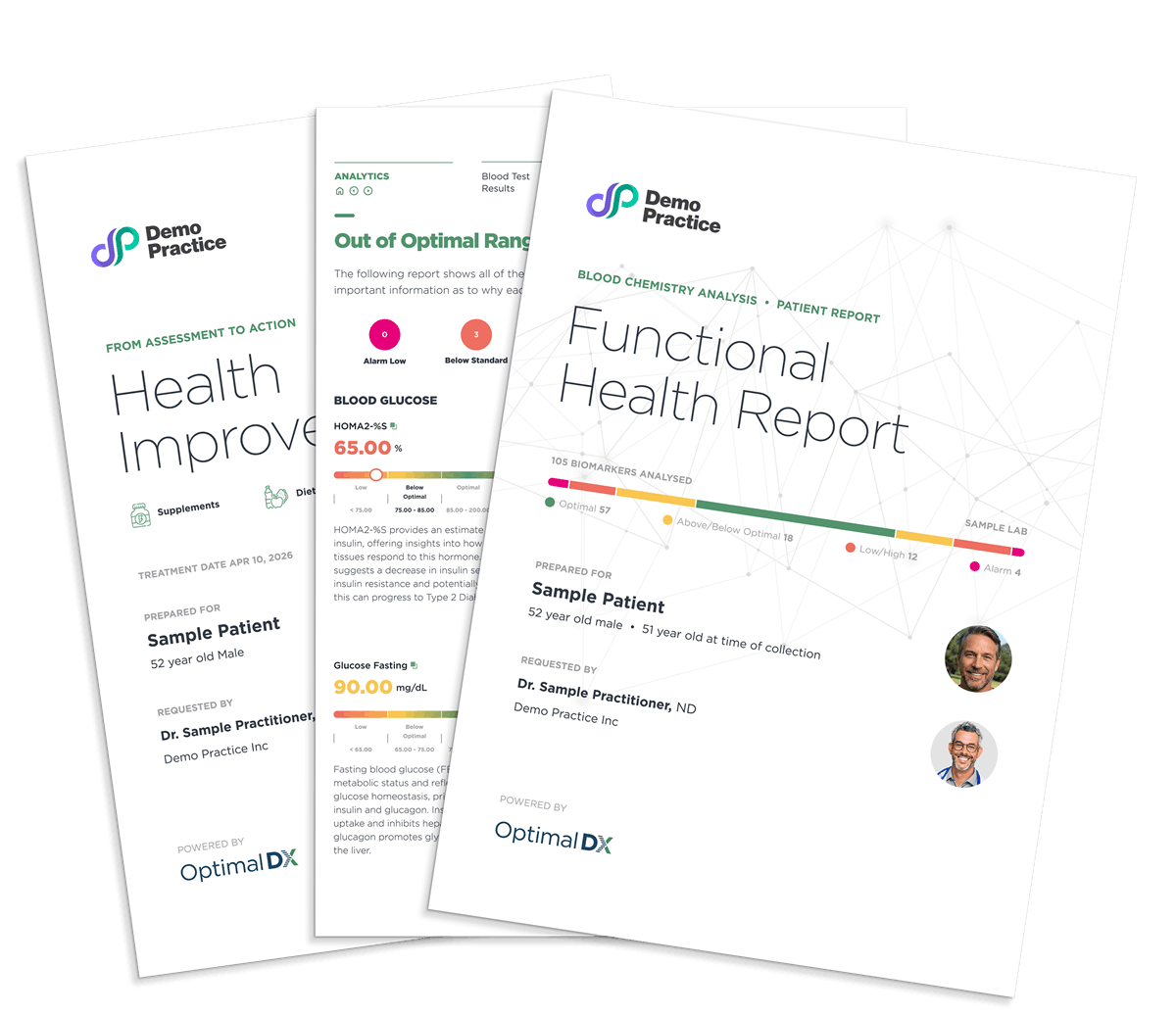
Functional Health Reports and Treatment Plans delivered straight to P2P

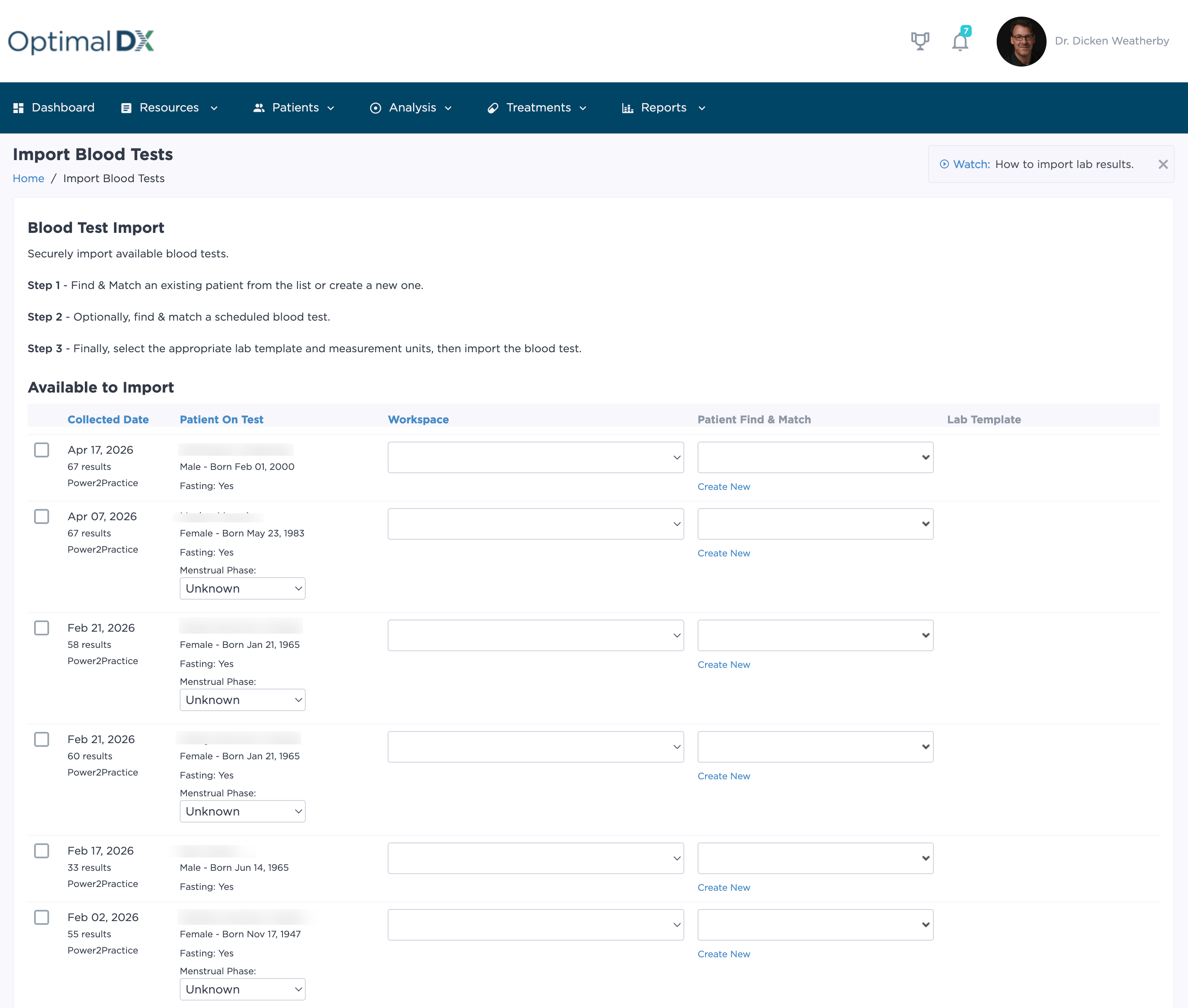
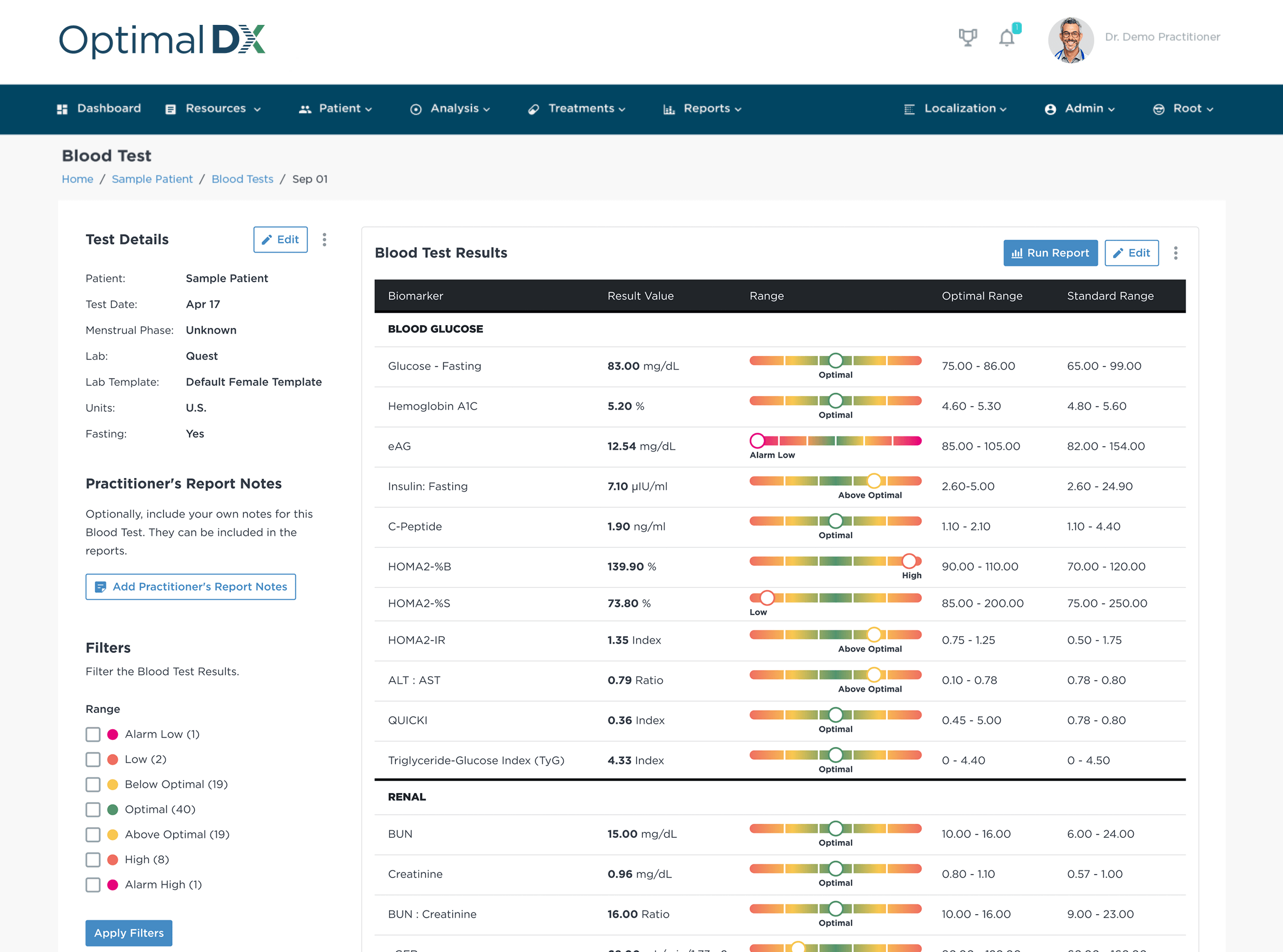
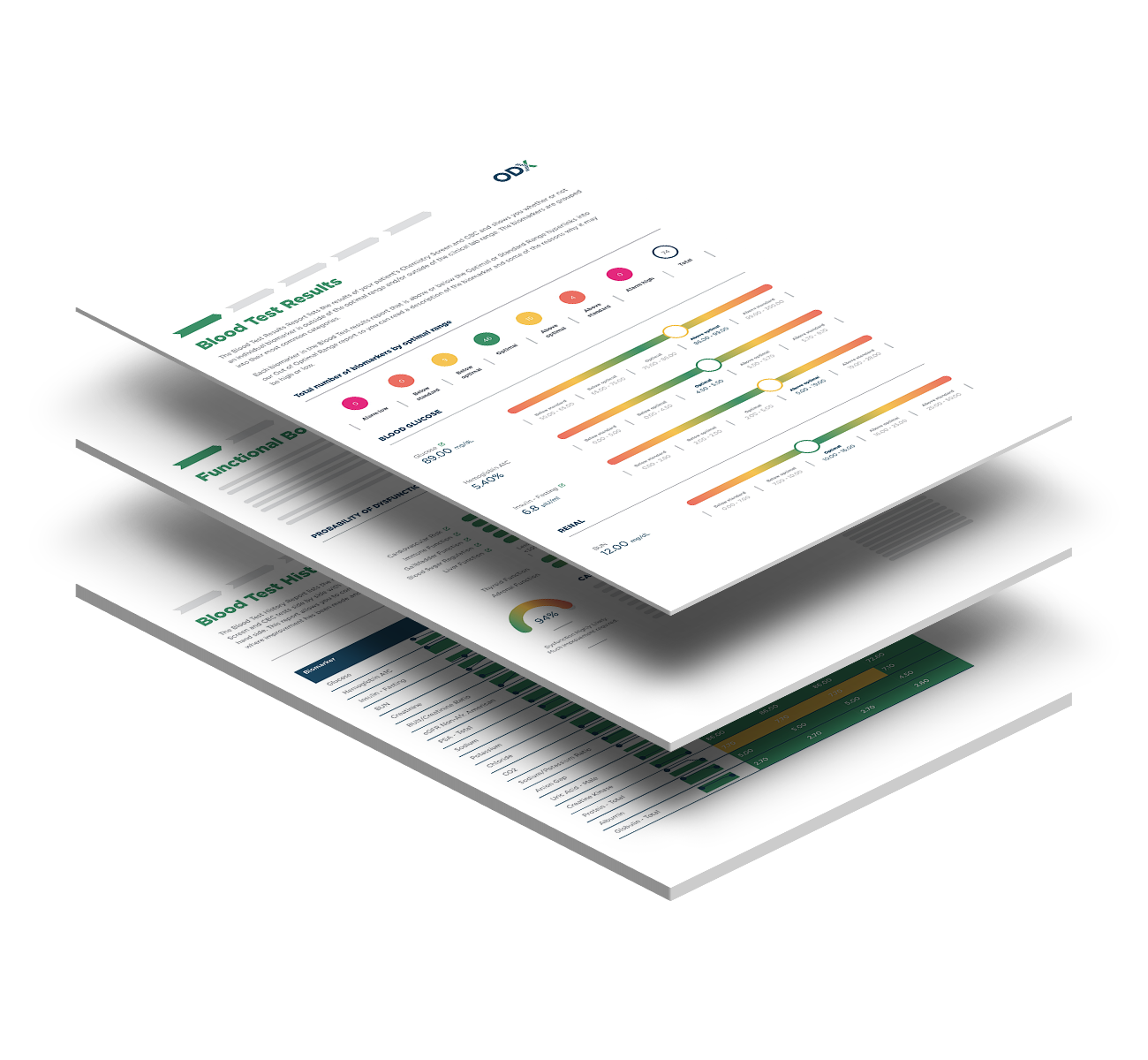
Import lab results, run your analysis, and send it back to your patient's chart — all in one workflow.

Trusted by Forward-Thinking Functional and Integrative Practices

Empowering practices to move seamlessly from lab insights to tailored supplement and lifestyle protocols.


Lab Test to Treatment Plan in 4 Easy Steps

What You Can Do With Optimal DX and Power2Practice

Connect ODX & Power2Practice In Minutes:

ODX_LicensedPracitioners2_1166x806

1. Make sure you have an active ODX and Power2Practice account.

  • Sign Up for an ODX Membership
  • Create a Power2Practice account


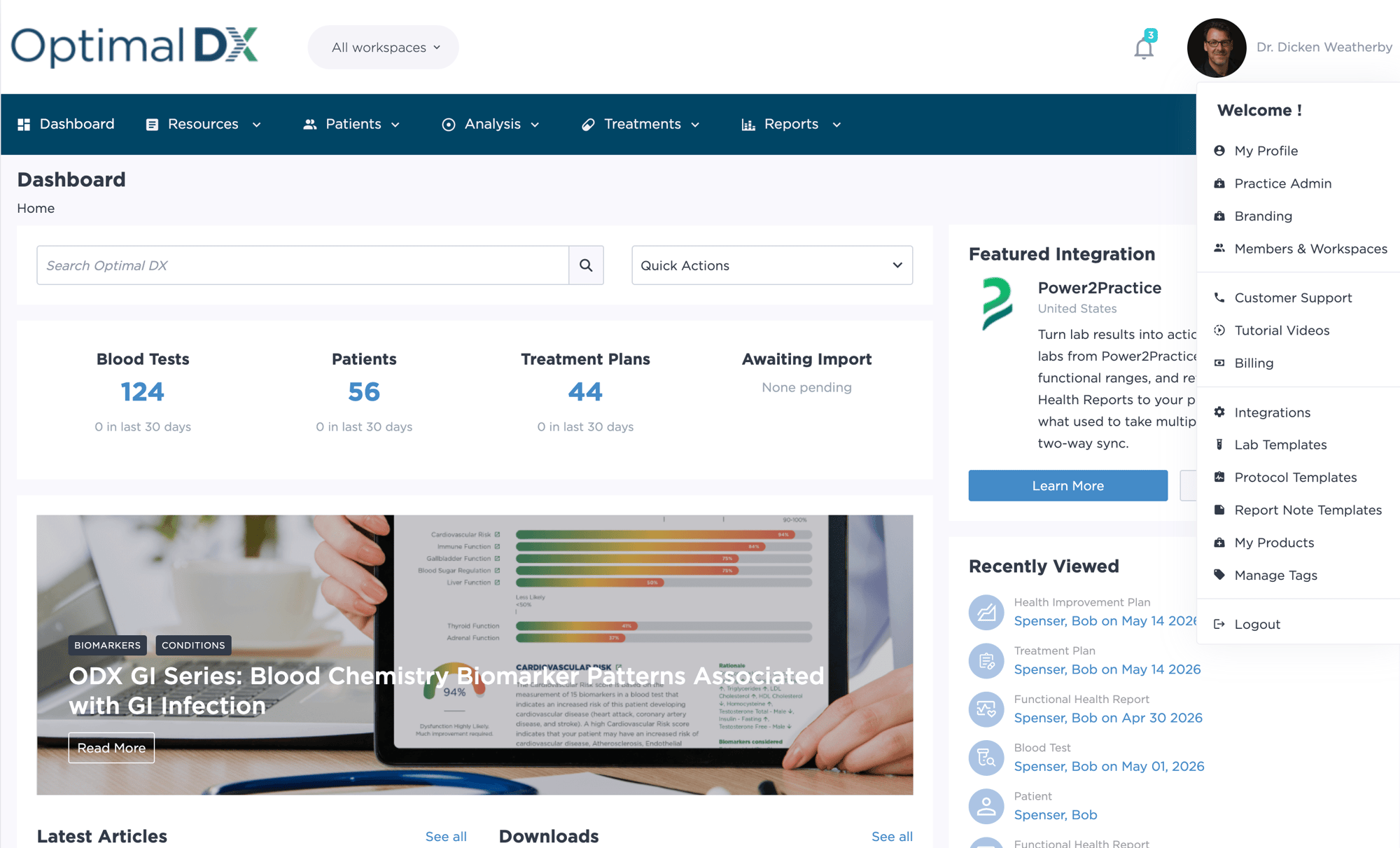
p2p_integrations_dropdown

2. Sign in to ODX

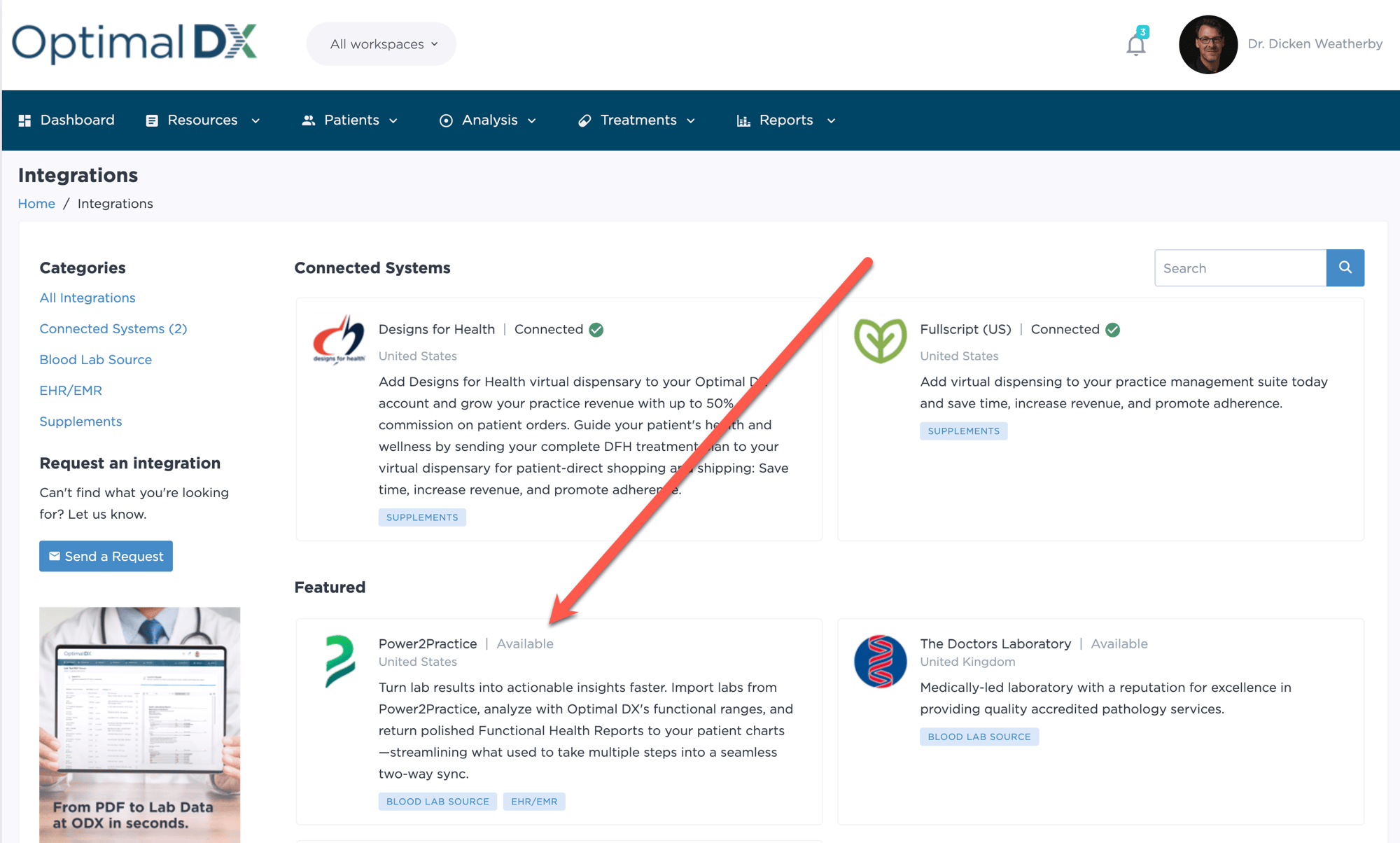
enable_p2p_integration

3. Request The Power2Practice Connection

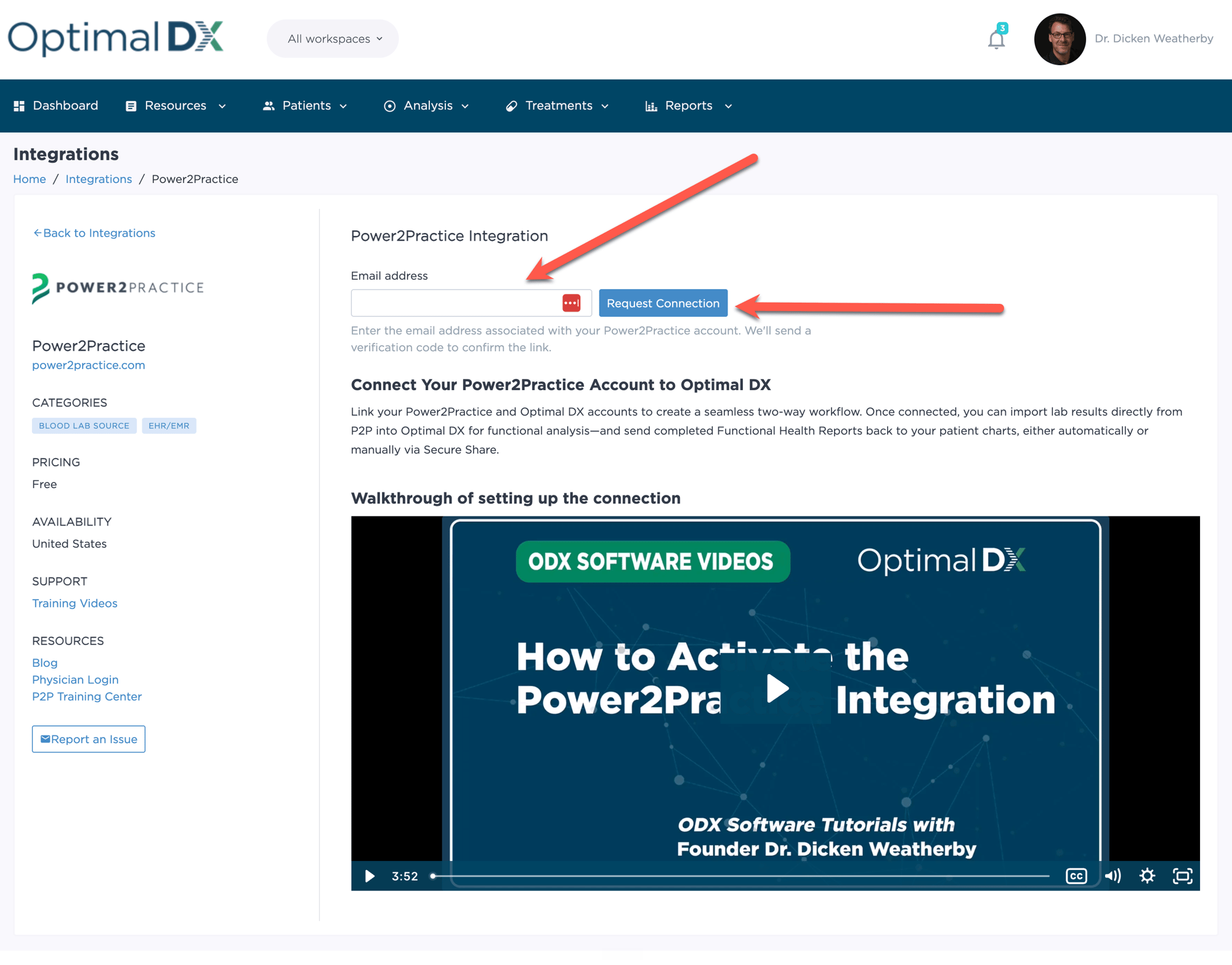
  • On the Integrations page, find the P2P integration and enter the email address associated with your P2P account
  • Click "Request Connection" and a verification code will be sent to that email
set_up_p2p_integration

4. Connect Your Power2Practice Account to ODX

  • Check your email for a six-digit verification code and enter it into ODX
  • Once confirmed, your account status will move to Connected
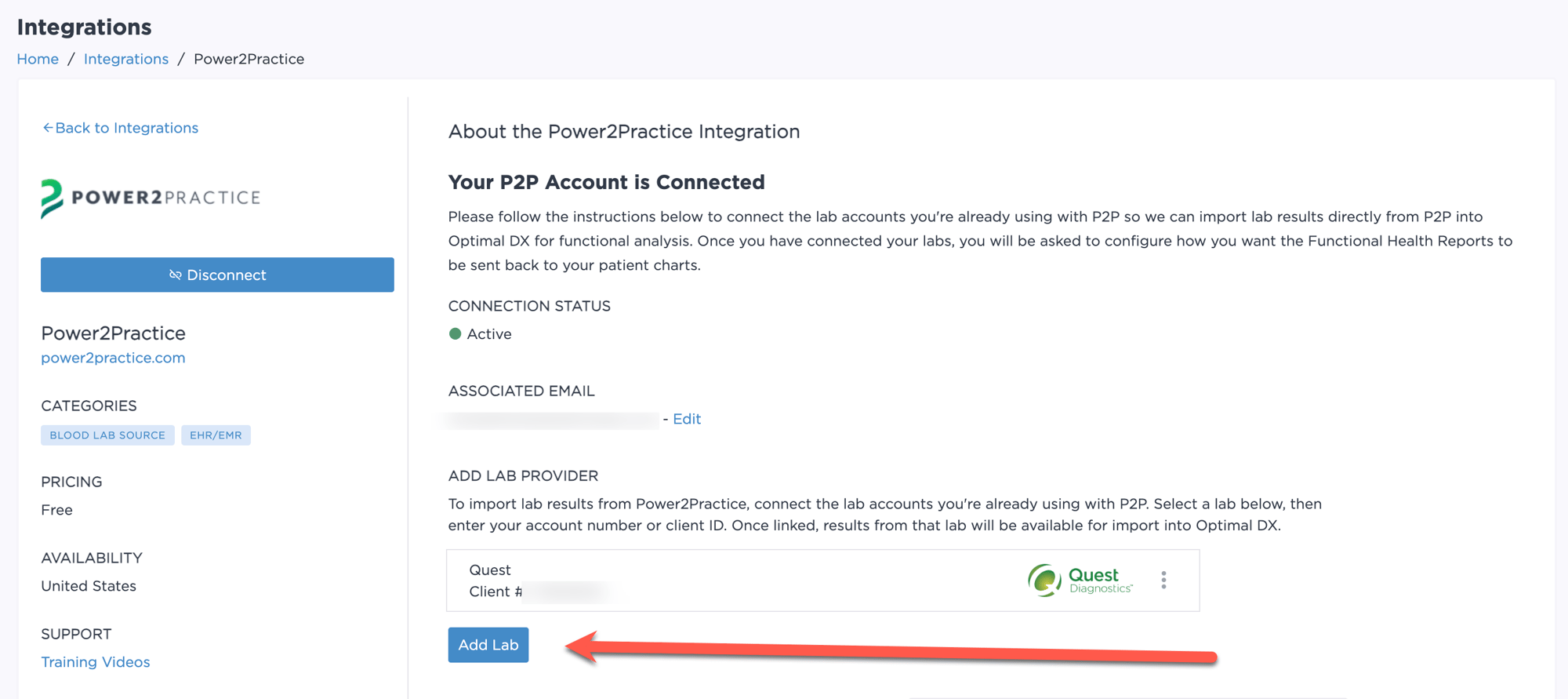
adding_p2p_labs

5. Connect Your Labs

  • Add each lab you run through P2P (LabCorp, Quest, and others) by entering your account number for that lab
  • Lab results can now be directly imported from P2P into ODX
advanced_p2p_settings

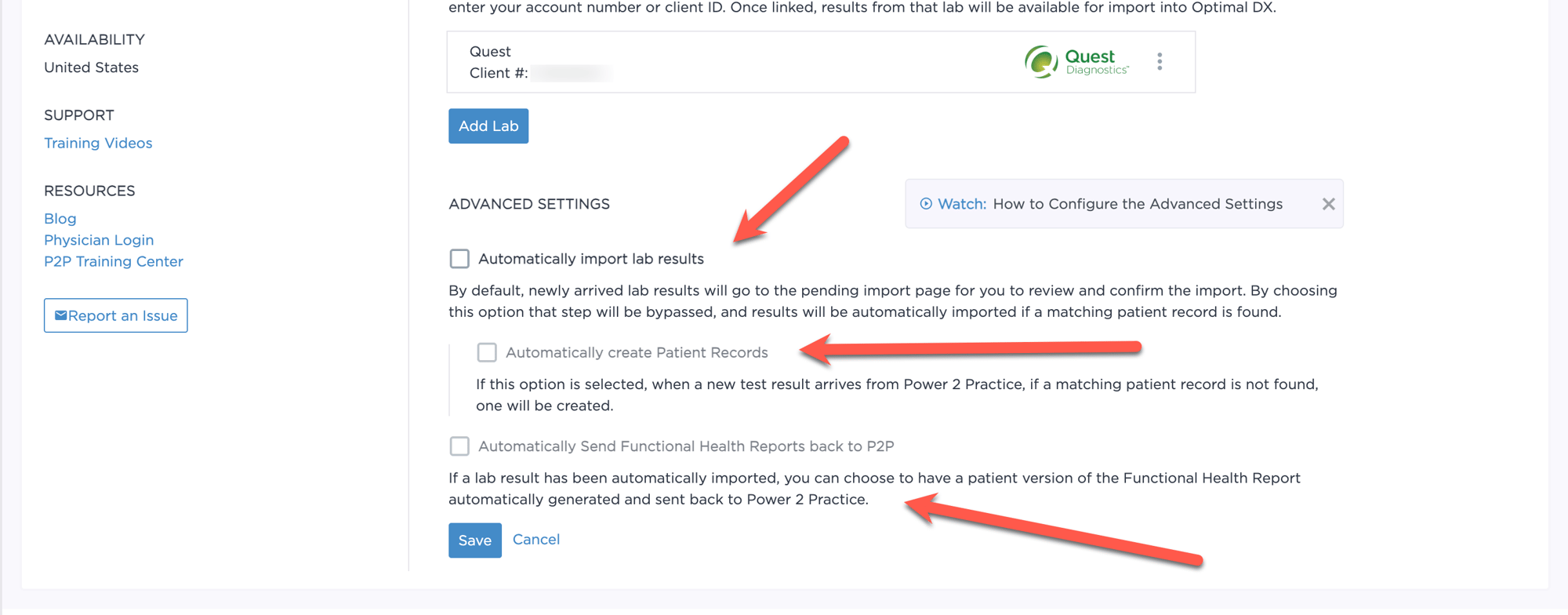
6. Advanced Settings for Reporting

Configure the advanced settings to do the following:
  1. Automatically import labs from P2P into your Optimal DX Account
  2. Automatically create the patient record
  3. Automatically send Functional HEalth Reports back to P2P
secure_share_p2p

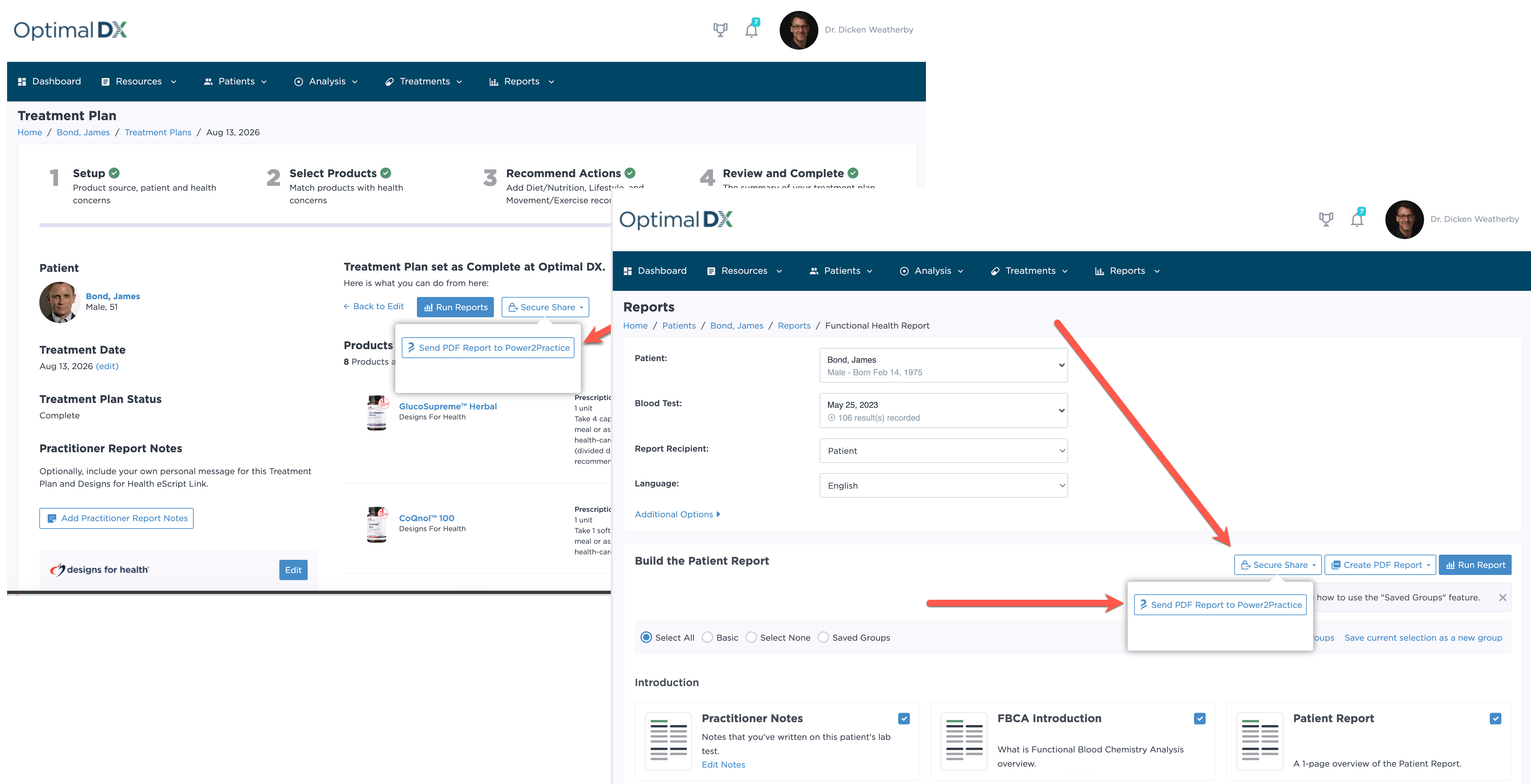
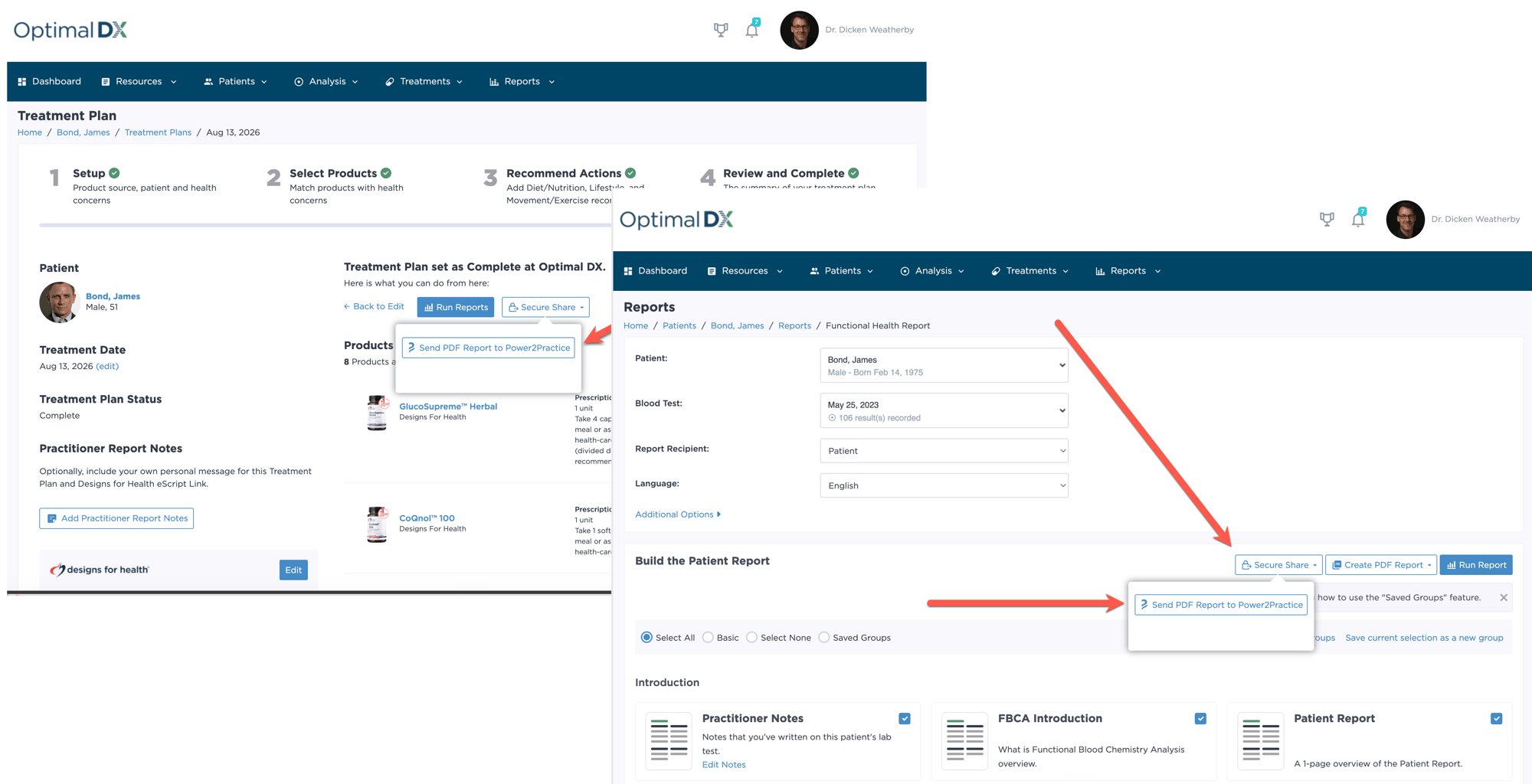
7. Secure Share Functional Health Reports and Health Improvement Plans to Your Patient's Chart!

Deliver the completed Functional Health Report and Health Improvement Plan directly into the patient's P2P record using the "Secure Share" option when generating each report or configure advanced settings to have reports shared automatically with P2P.

Key Benefits

Why ODX for FBCA 

  • Faster insight: Automated analysis, trend tracking, and clear prioritization.

  • Better conversations: Practitioner and patient-friendly reports, not just raw numbers.

  • Consistency at scale: Saved report groups, reusable protocol templates, and cohort comparisons.

  • Seamless follow-through: Turn findings into plans—and plans into outcomes.

Why P2P in ODX 

  • Streamlined workflow: Import labs, analyze, and build plans without leaving your EMR.

  • Deeper clinical insights: Functional ranges catch dysfunction patterns earlier.

  • Complete care plans: Supplement and lifestyle recommendations tied directly to findings.

  • Better documentation: Reports and treatment plans land right in the patient chart.

Need Help? ODX Has You Covered

Get set up quickly with clear guides, videos, FAQs, and direct support from the Optimal DX team.

📺 Step-by-Step Videos

Visit the ODX Support Center for the Getting Started with ODX - The Video Series.

📖 Your FAQs Answered

Visit the ODX FAQ Page for answers to our most frequently asked questions.

💬 Talk to us directly

Contact ODX for quick help with setup, data entry,  reports, or treatment plans.

📺 Watch how it works – See the How to Activate the Power2Practice Integration video below for a narrated walkthrough.

For Power2Practice account, EMR, or billing questions, please contact Power2Practice Support.

Watch the P2P Integration Video

From lab import → FHR + HIP → P2P → patient delivery .

Integration FAQs

Answers to commonly asked questions regarding the P2P integration with Optimal DX

Do I need accounts with both Optimal DX and Power2Practice?

Yes. You'll need an active subscription to both platforms. Once connected, lab results and completed reports flow seamlessly between them.

Which labs are supported?

Any lab result stored in your Power2Practice account can be imported into Optimal DX, including results from Quest, LabCorp, and specialty labs.

How do Functional Health Reports and treatment plans appear in the patient chart?

Reports and treatment plans are delivered directly to the patient record in Power2Practice as a PDF.

Can I customize the reports and treatment plans?

Yes. Optimal DX lets you customize report branding, choose which sections to include, add personalized notes, and tailor treatment recommendations for each patient.


Turn insights into outcomes - connect ODX to Power2Practice today

Create your ODX account and start delivering Functional Health Reports and personalized care plans to your Power2Practice patients.